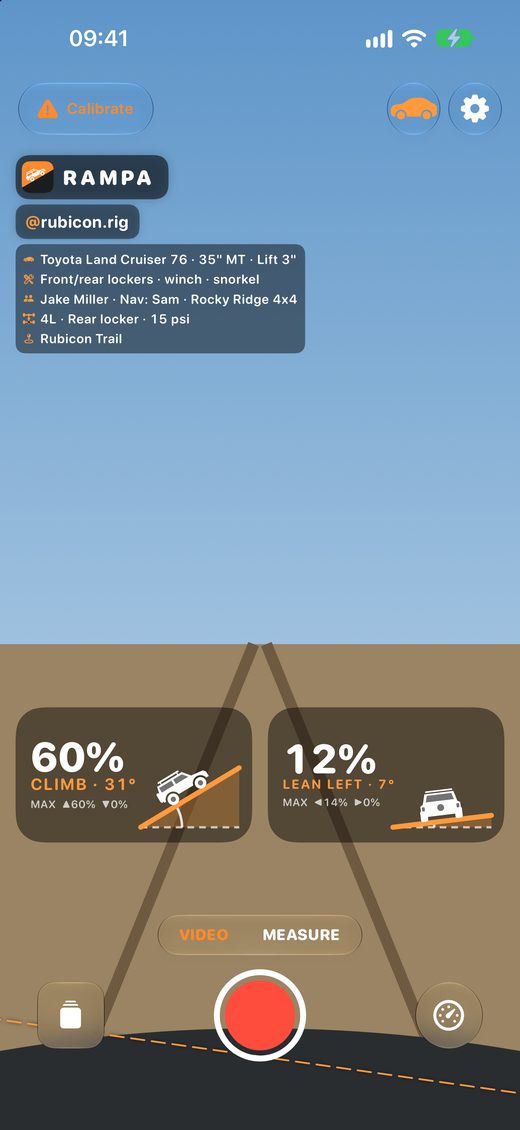
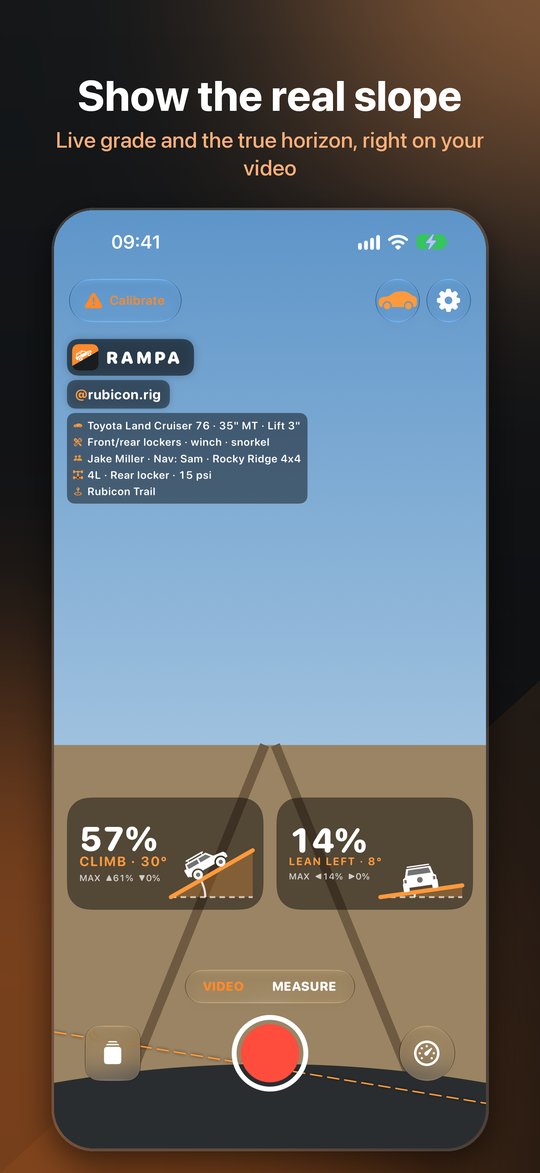
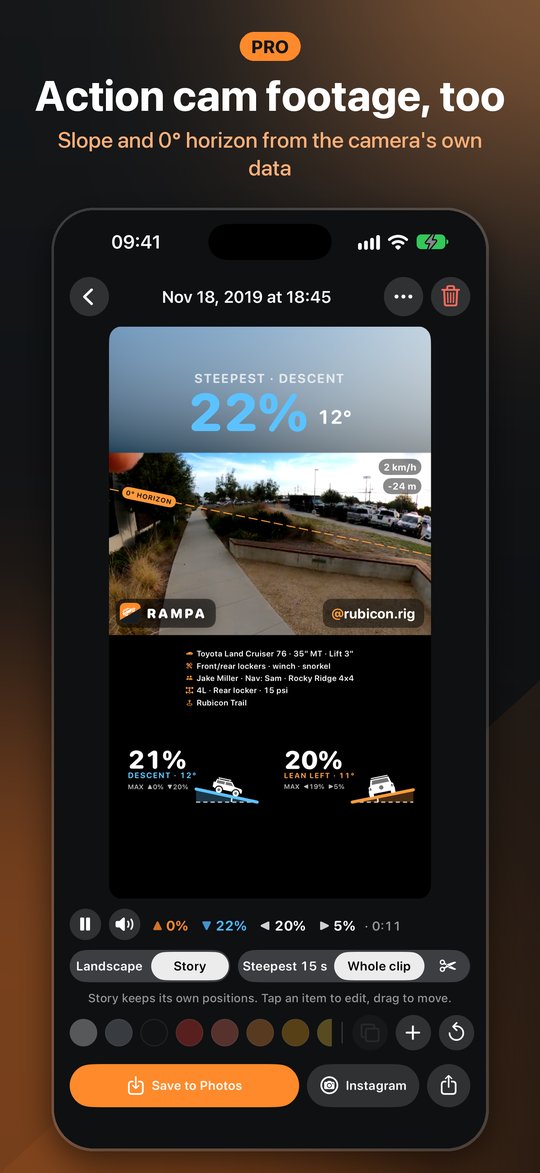
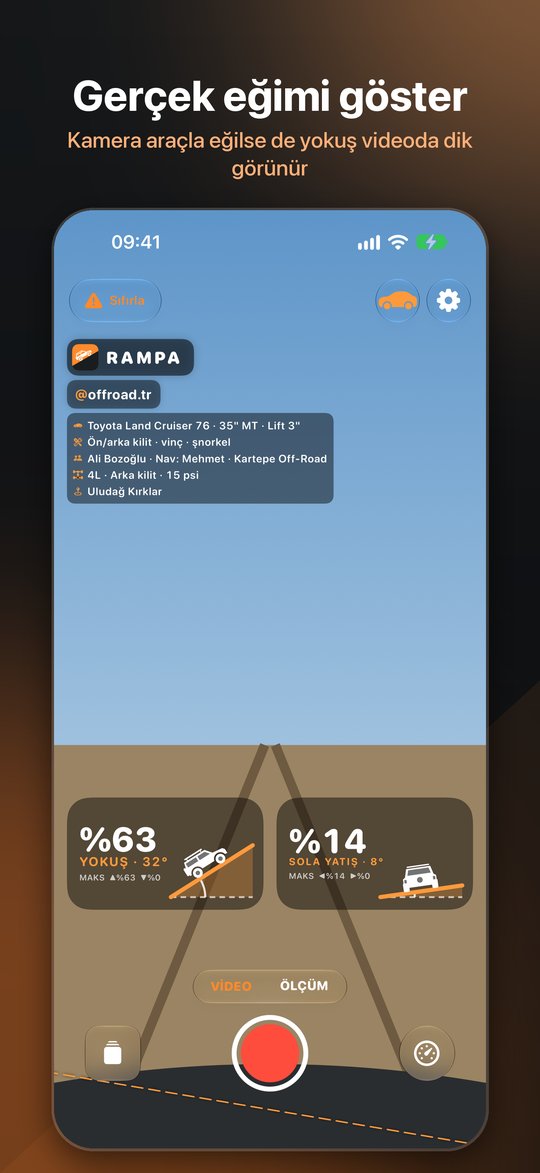
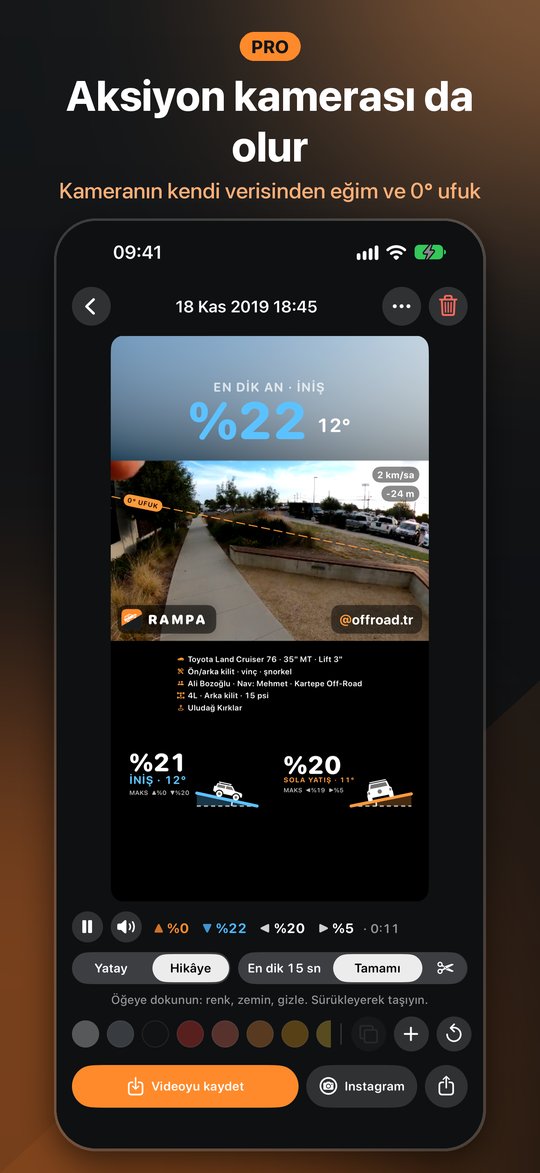
The phone tilts with your truck, so the camera tilts too and the climb looks like a gentle slope. Rampa knows where gravity points. It draws the real angle and the 0° horizon right on your footage.
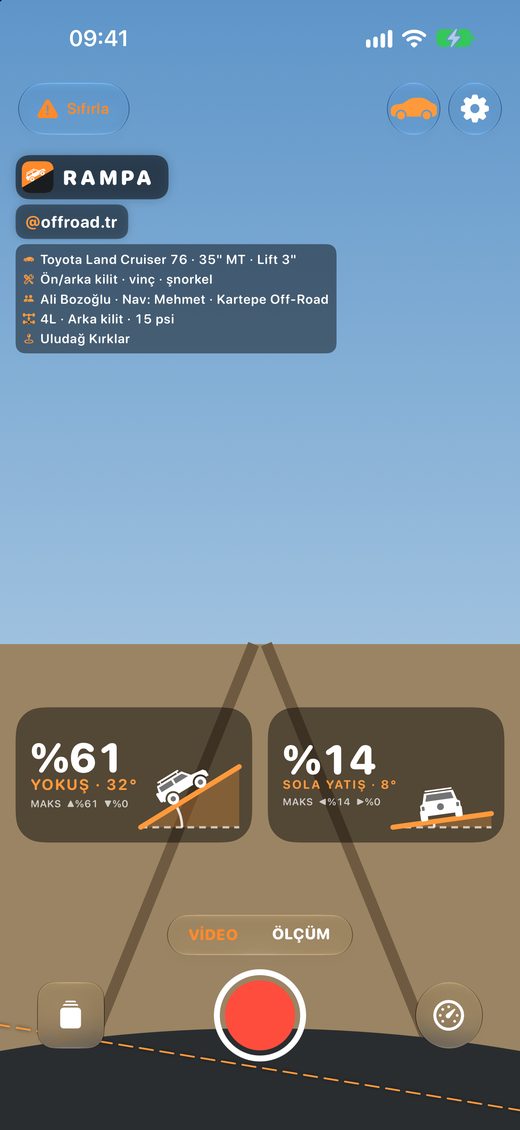
Telefon araçla birlikte eğildiği için kamera da eğilir ve tırmandığın yokuş videoda hafif bir eğim gibi görünür. Rampa yerçekiminin yönünü bilir; gerçek açıyı ve 0° ufku doğrudan videonun üstüne çizer.
Screenshots
Ekranlar
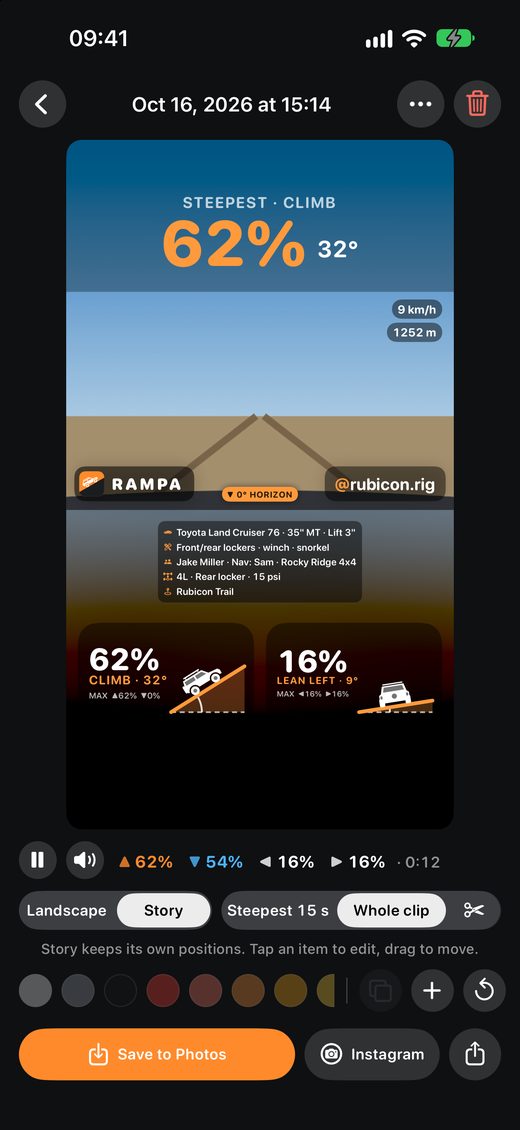
Record with the gauges on screen, then edit the look and share.
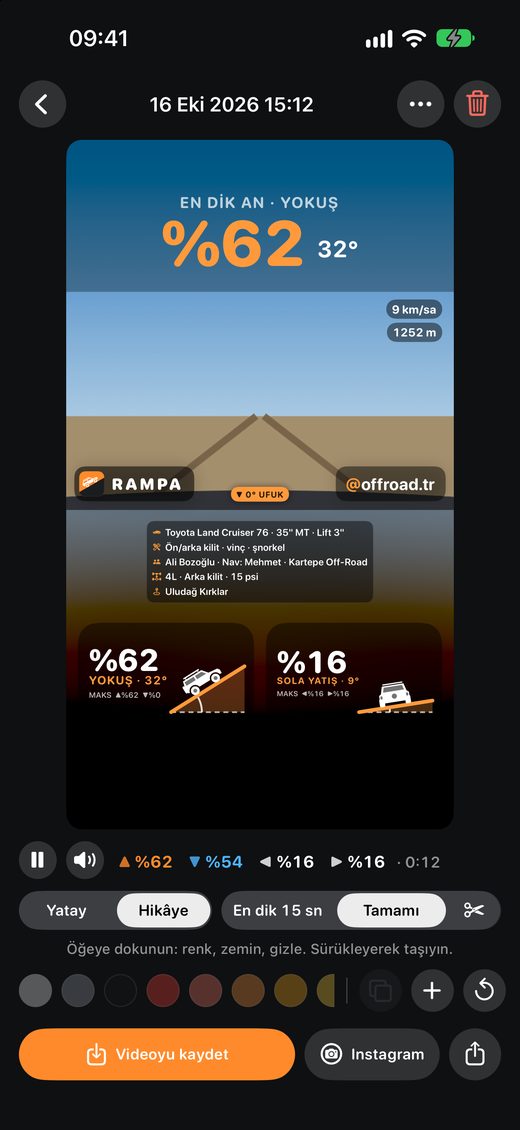
Göstergeler ekrandayken çek, görünümü düzenle, paylaş.
Features
Özellikler
Built for weekend trails and competition alike.
Hafta sonu parkuru da olsa yarış da olsa.
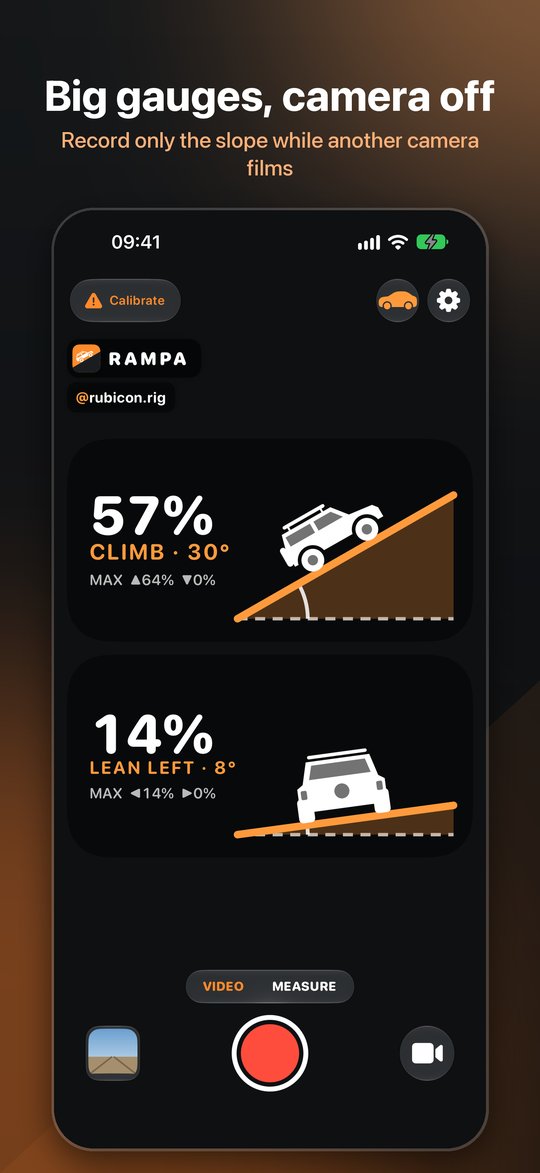
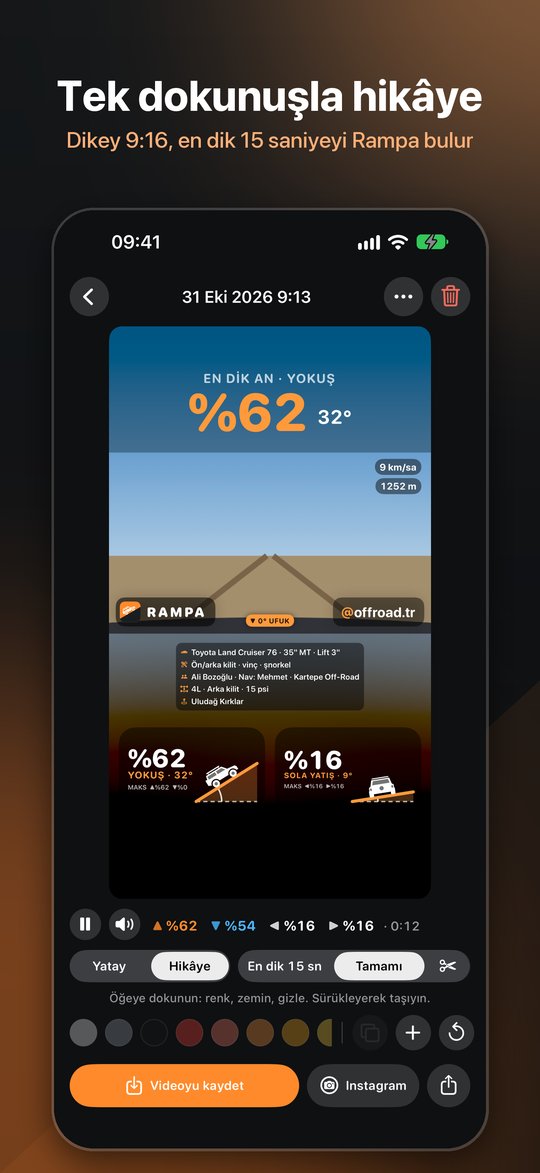
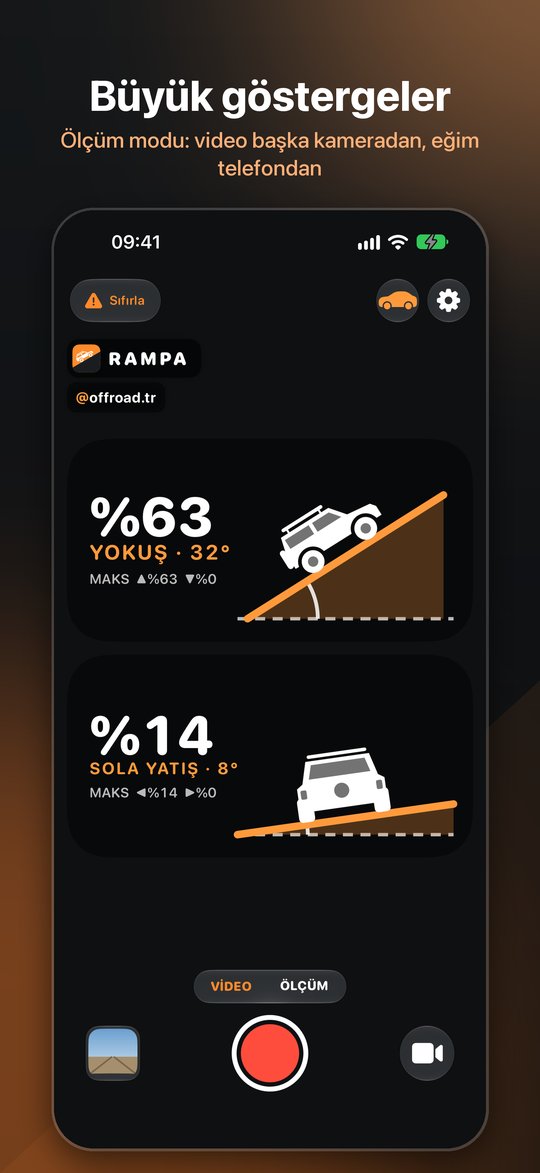
Climb and side slope drawn as ramps at their true angle, the grade in big numbers (62%) and the angle beside it (32°).
Yokuş ve yan eğim gerçek açısında birer rampa olarak çizilir; yüzde büyük (%62), derece yanında (32°).
A 0° line where the horizon really is. On a very steep hill an arrow at the edge shows which way it went.
Ufkun gerçekte olduğu yere 0° çizgisi. Çok dik yokuşta kenardaki ok ufkun ne tarafta kaldığını gösterir.
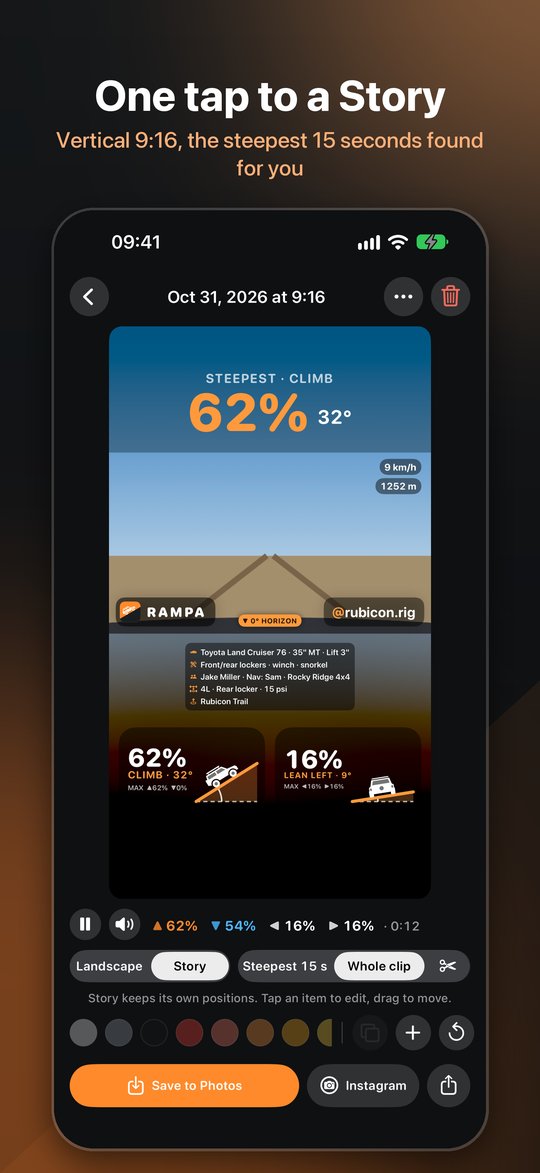
Vertical 9:16 for Reels and TikTok with the steepest moment as the headline. Rampa picks the steepest 15 seconds.
Reels ve TikTok için dikey 9:16, başlıkta en dik an. En dik 15 saniyeyi Rampa seçer.
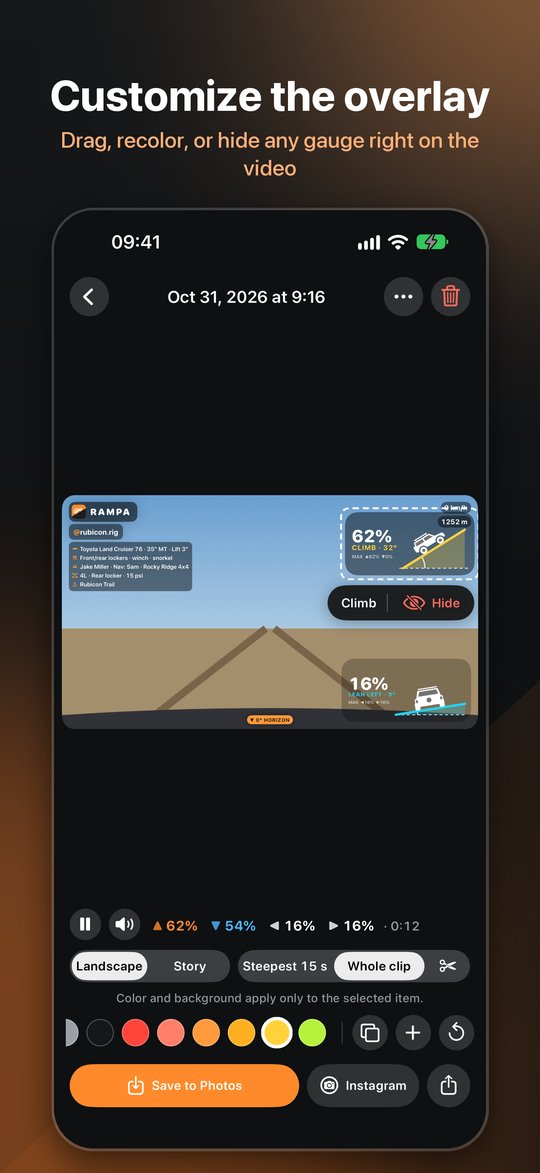
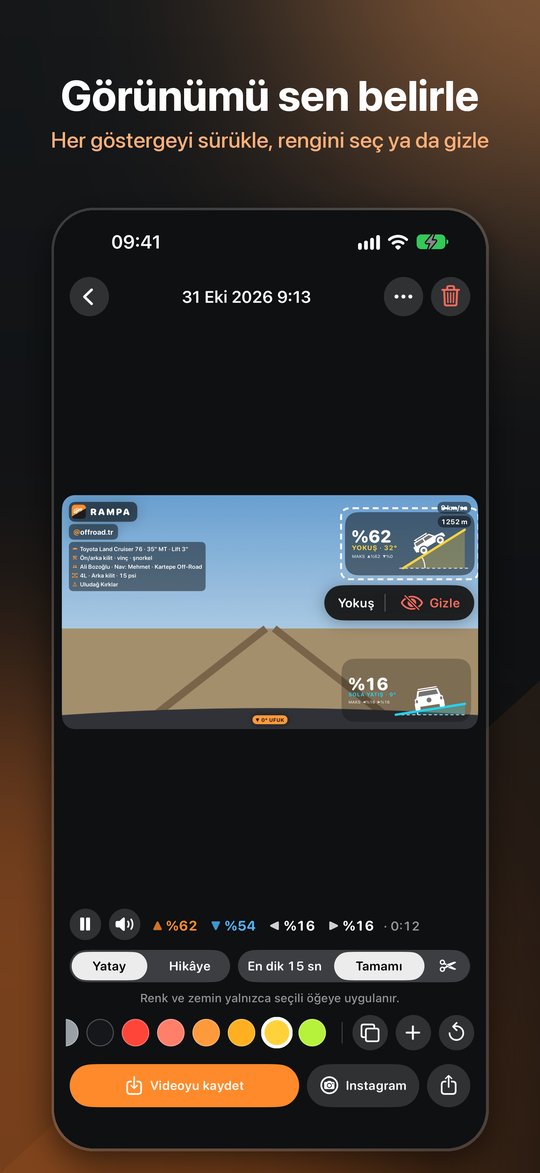
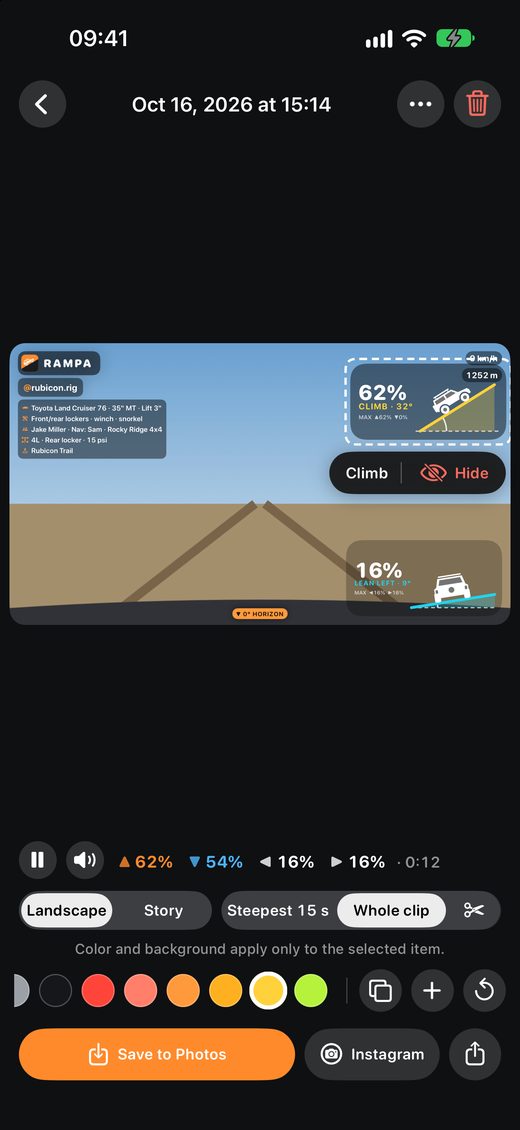
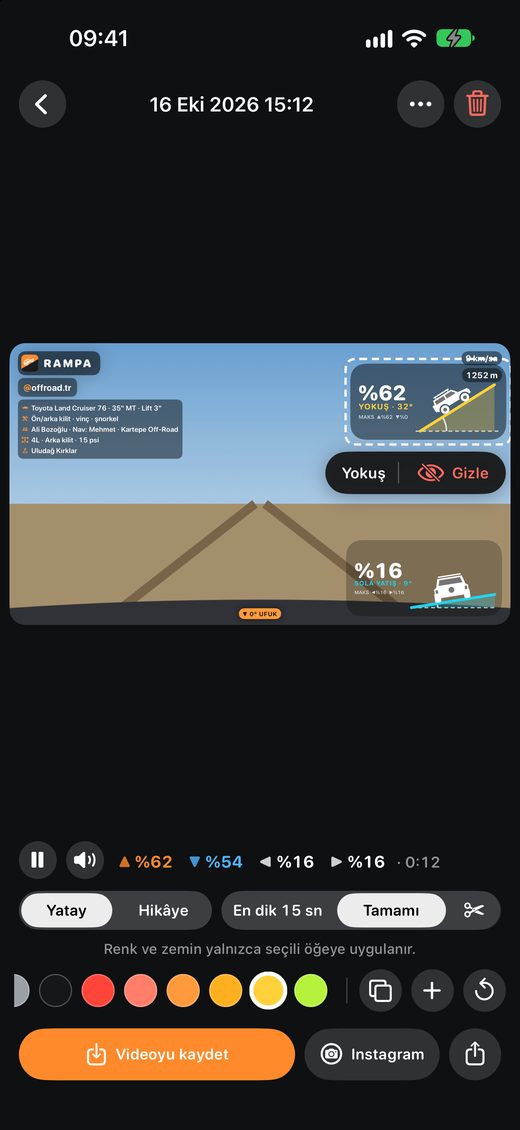
Drag every gauge where you want it, give each its own color, hide what you don't need.
Her göstergeyi istediğin yere sürükle, her birine ayrı renk ver, istemediğini gizle.
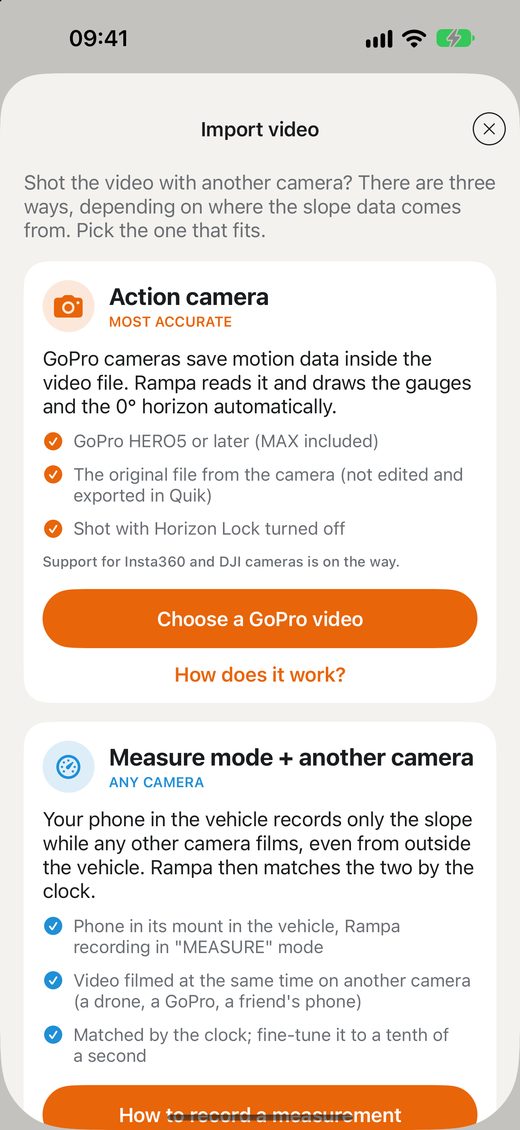
Action-cam files with motion data, any camera matched by the clock to a Rampa measurement, or marking it by hand.
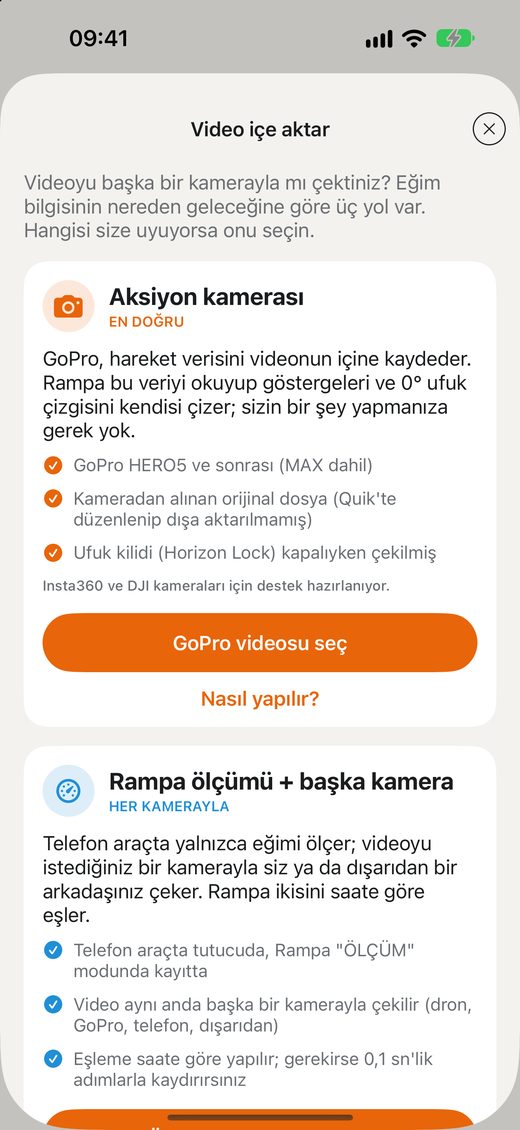
Hareket verili aksiyon kamerası dosyaları, saatten Rampa ölçümüyle eşlenen herhangi bir kamera ya da elle işaretleme.
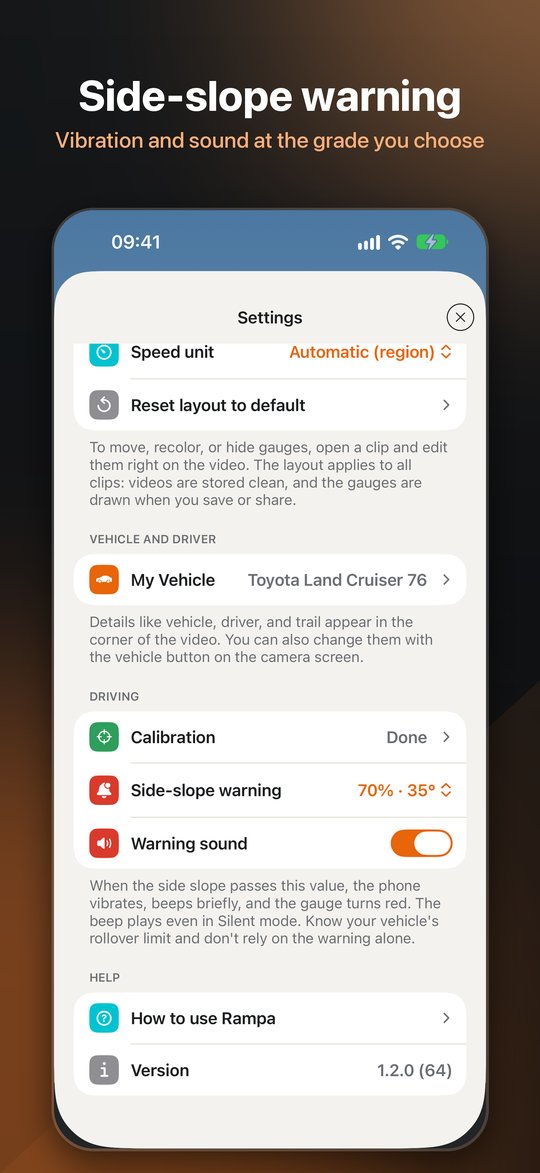
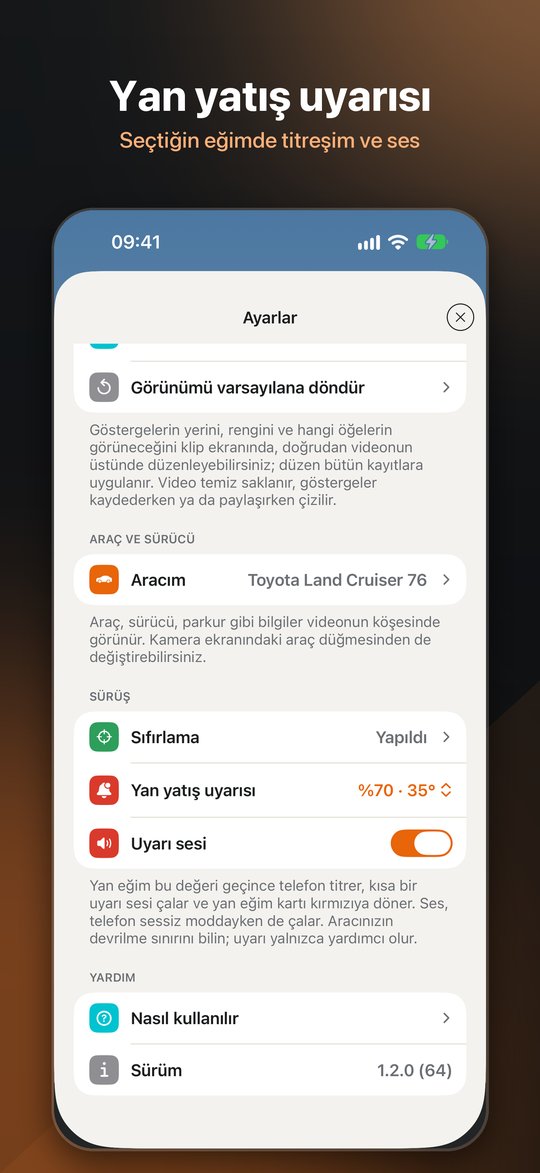
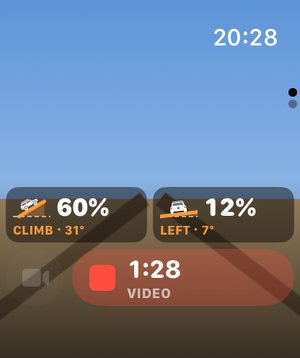
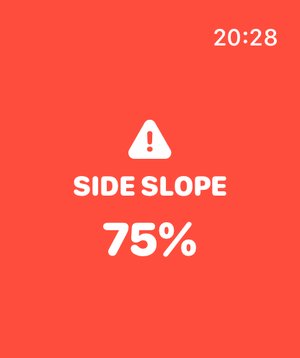
Vibration and a short tone at the side slope you set, on the phone and on your wrist.
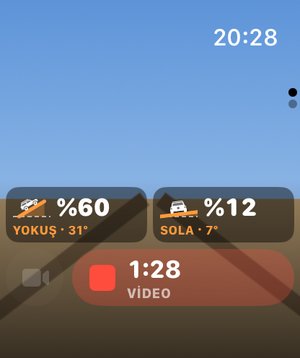
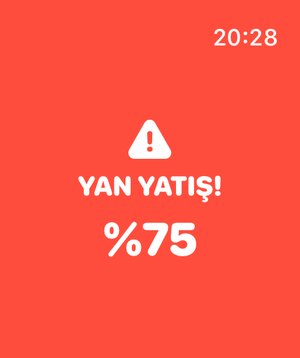
Belirlediğin yan eğimde titreşim ve kısa bir ses; telefonda da bileğinde de.
Vehicle, tires, lift, driver, club, trail, tire pressure, 2H/4H/4L and lockers. All optional.
Araç, lastik, lift, sürücü, kulüp, parkur, lastik basıncı, 2H/4H/4L ve kilitler. Hepsi isteğe bağlı.
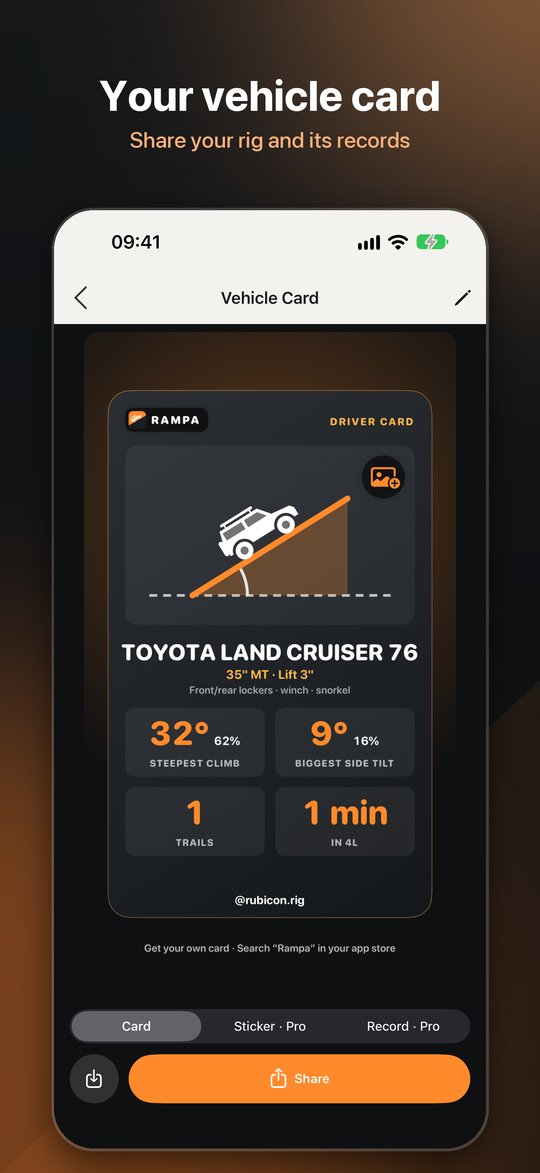
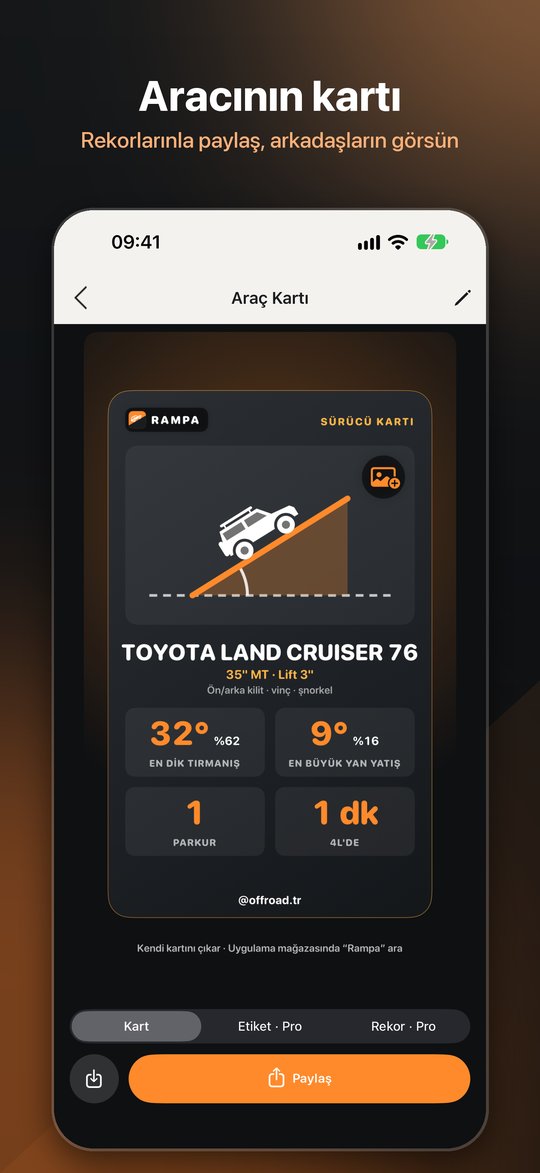
A card for your rig with its steepest climb and biggest side slope, ready for your story.
Aracın için en dik tırmanışı ve en büyük yan yatışıyla bir kart; hikâyene hazır.
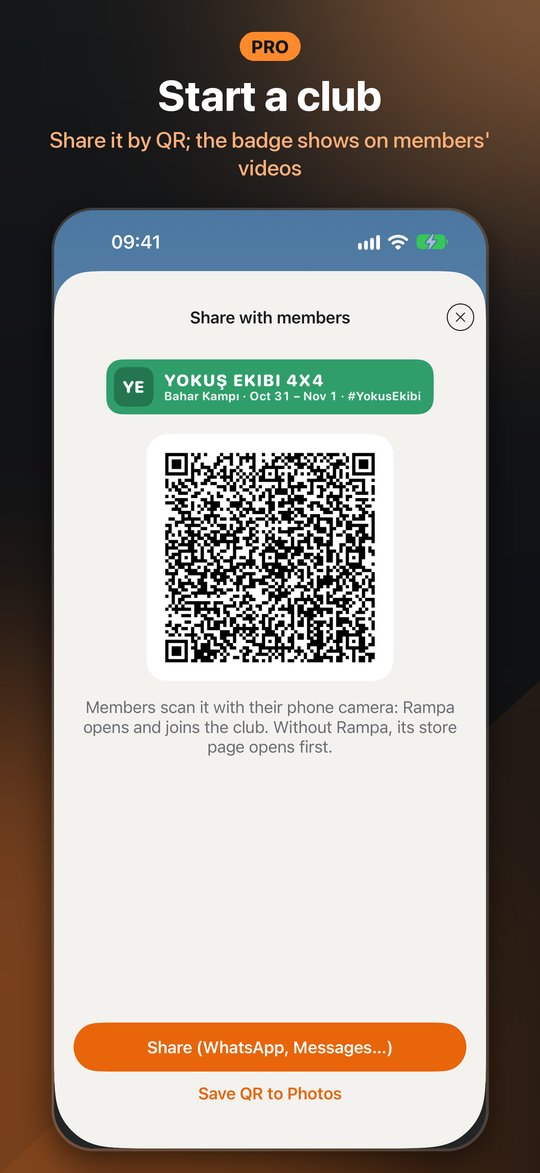
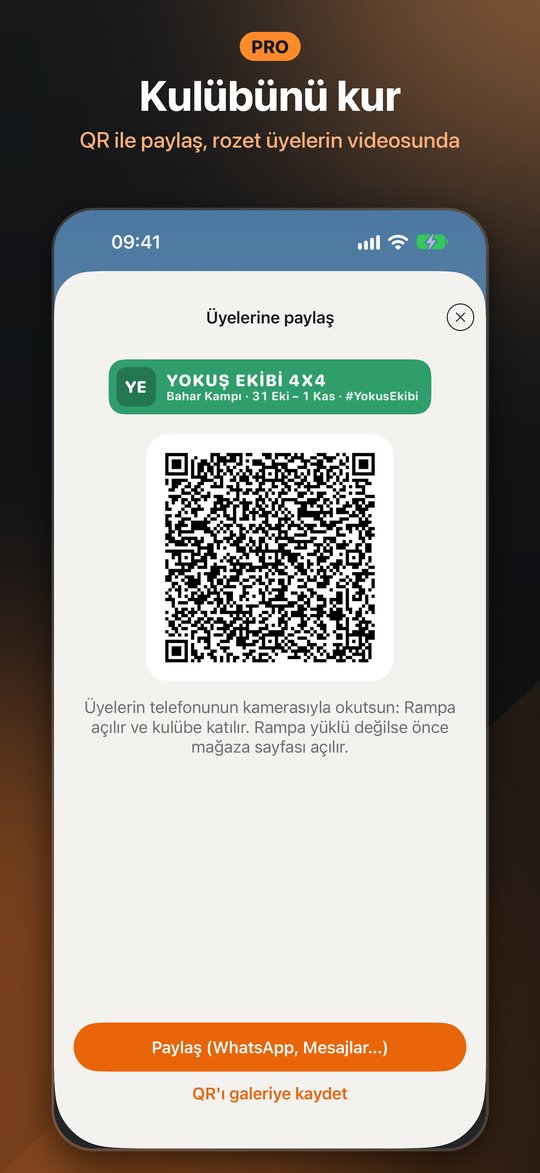
Set up a club badge and share it by QR code or link. Members join for free and show it on their videos.
Kulüp rozetini kur, QR kod ya da bağlantıyla paylaş. Üyeler ücretsiz katılır, rozeti videolarında gösterir.
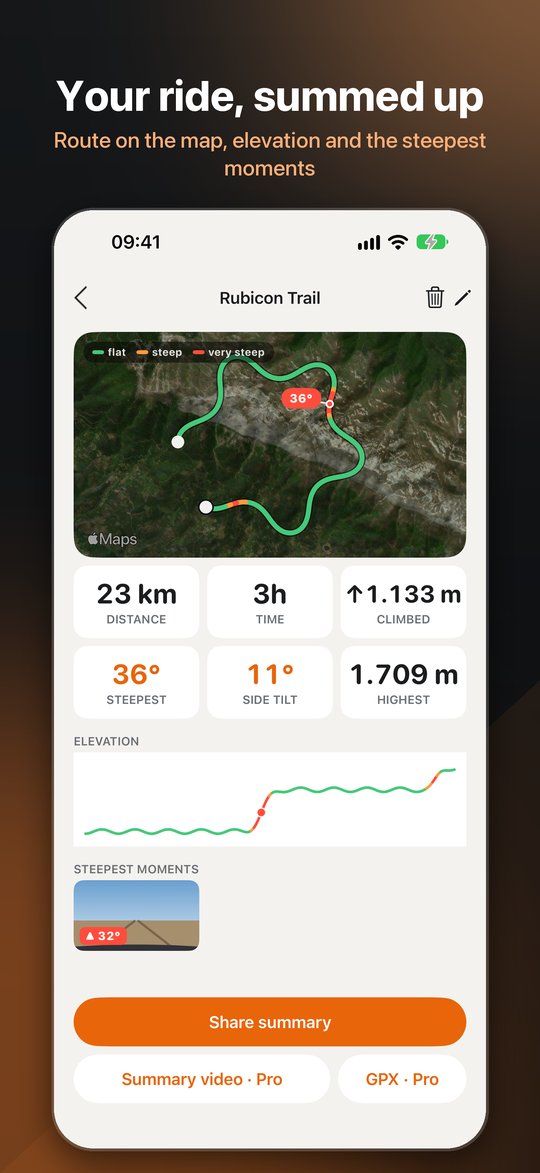
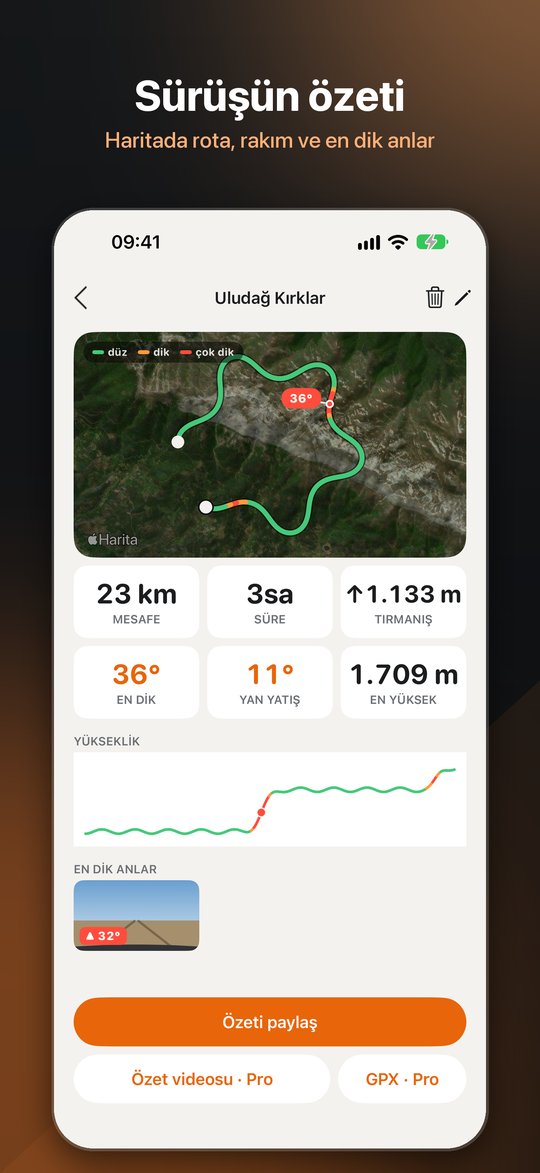
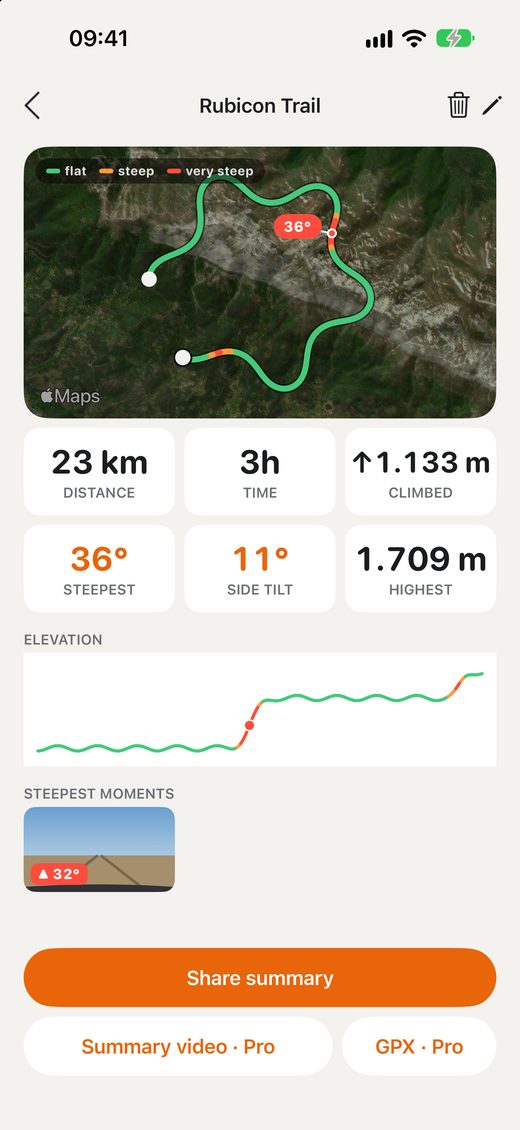
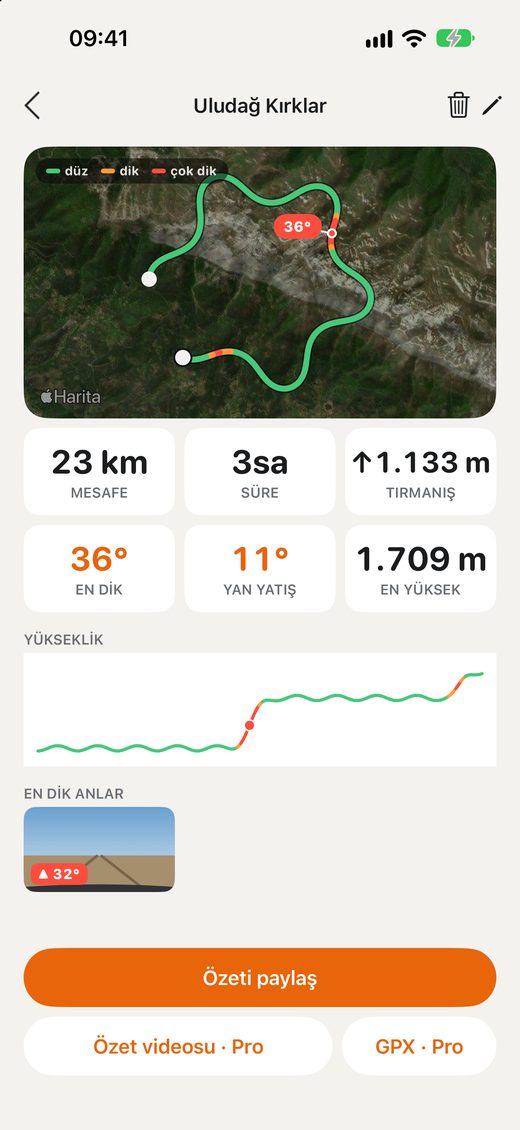
Your route on a satellite map, colored by slope, with elevation and the steepest moments.
Rotan uydu haritasında eğime göre renkli; rakım ve en dik anlarla birlikte.
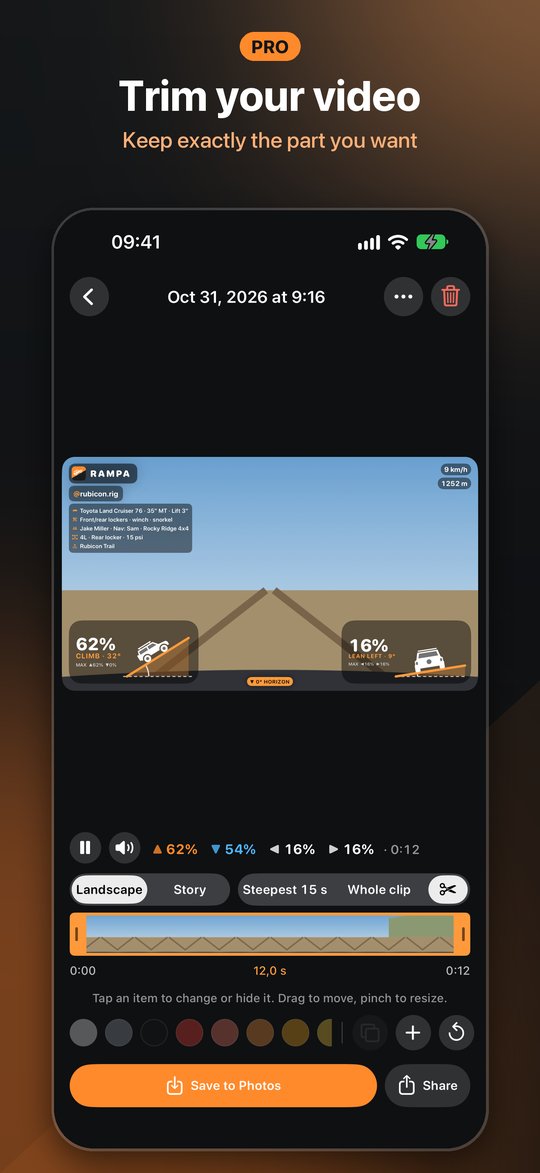
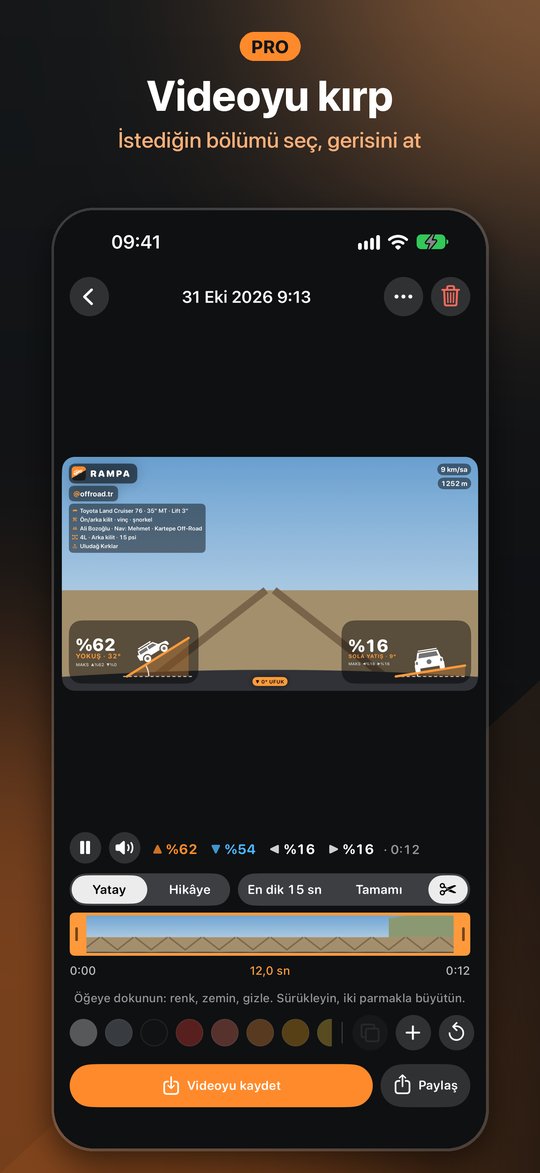
Keep exactly the part of the clip you want, then save or share that part.
Klibin tam istediğin bölümünü seç; kaydetme ve paylaşma o bölümle yapılır.
No account. Your videos stay on your phone until you share them. Privacy policy
Hesap yok. Videoların sen paylaşana kadar telefonunda kalır. Gizlilik politikası
Edit the look
Görünümü düzenle
Open a clip and it plays full screen with the gauges on top, like editing a story.
Bir klibi aç; hikâye düzenler gibi tam ekran oynar, göstergeler üstünde.
Rides
Sürüşler
Rampa groups your videos, measurements and route into rides on its own.
Rampa videolarını, ölçümlerini ve rotanı kendiliğinden sürüşlere ayırır.
New in 1.2
1.2'de yeni
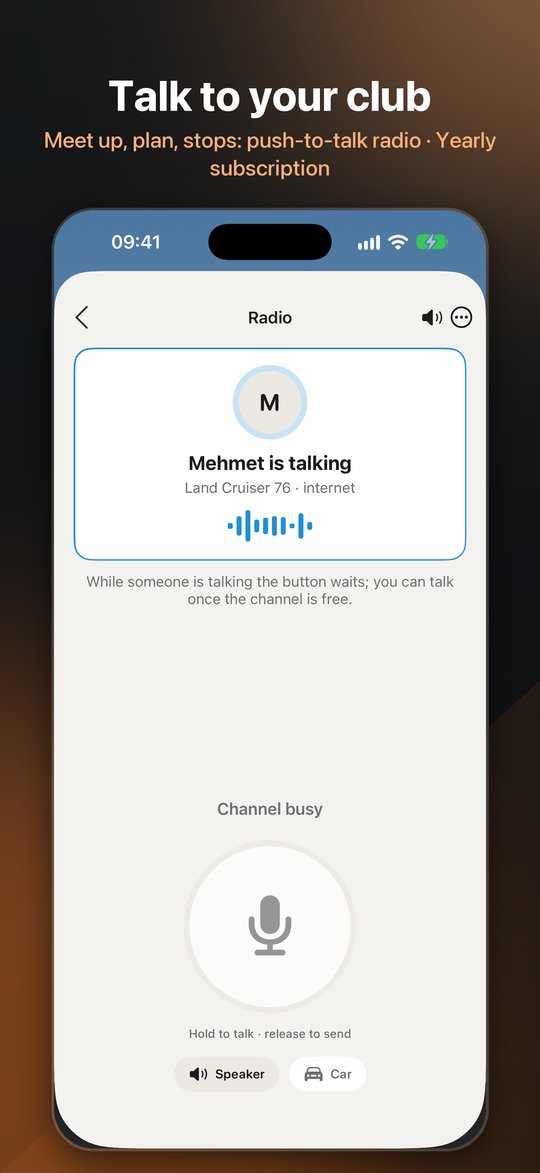
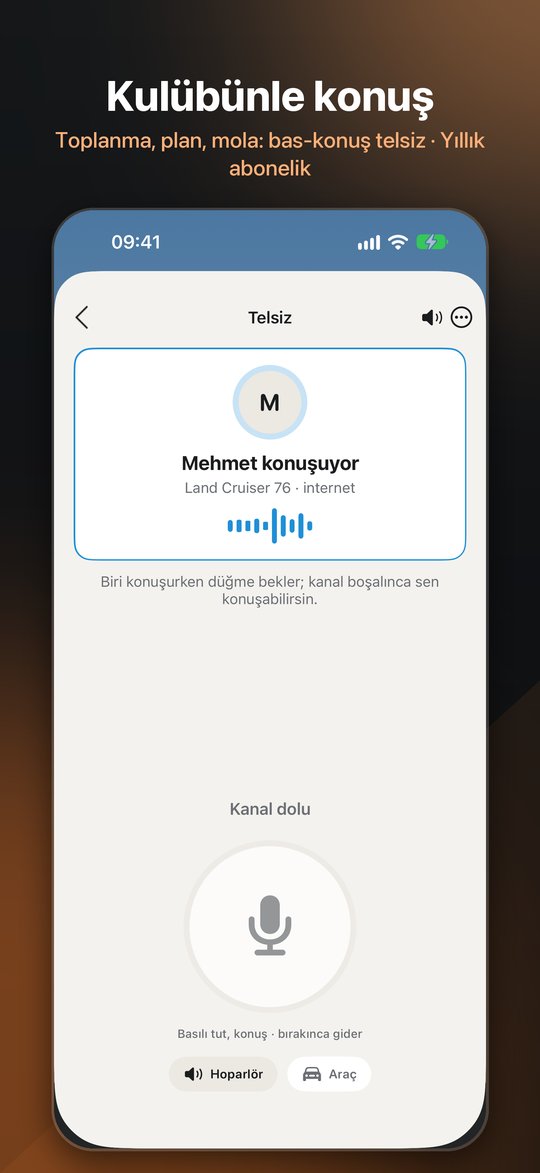
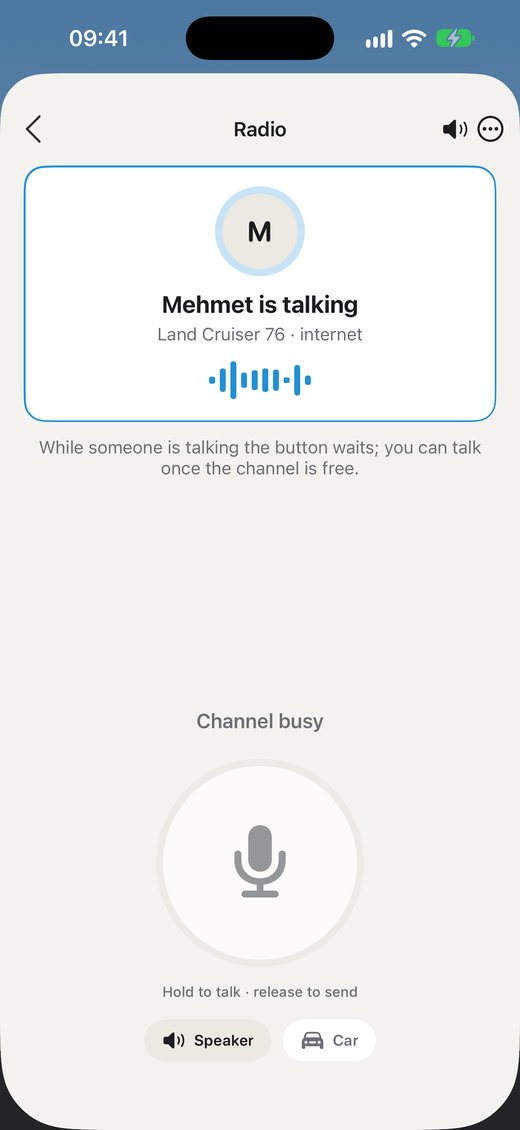
Push-to-talk with everyone in your club: plan before the event, agree on the meeting point and convoy order, check in at every stop. No phone numbers, no group to set up, nothing to type.
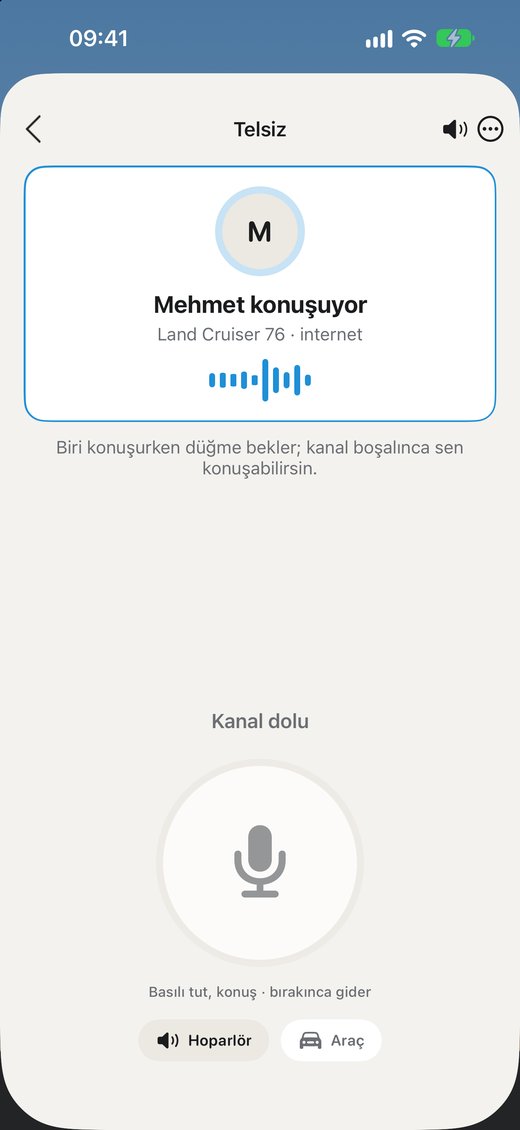
Kulübündeki herkesle bas-konuş: etkinlik öncesi plan, toplanma noktası, konvoy sırası, molada haberleşme. Telefon numarası, grup kurma, mesaj yazma yok.
Rampa Pro
Recording, the gauges, stories, the vehicle card, joining clubs and the ride summary are free. Rampa Pro adds:
Kayıt, göstergeler, hikâye, araç kartı, kulübe katılmak ve sürüş özeti ücretsiz. Rampa Pro şunları ekler:
Action-cam files, any camera matched to a Rampa measurement, or marking by hand.
Aksiyon kamerası dosyaları, Rampa ölçümüyle eşlenen herhangi bir kamera ya da elle işaretleme.
Every card style with your photo, and creating your own club.
Fotoğraflı bütün kart biçimleri ve kendi kulübünü kurmak.
An animated summary of the ride and the route as a GPX file.
Sürüşün hareketli özeti ve rotanın GPX dosyası.
Trim clips, resize items with two fingers and export without the Rampa signature.
Klibi kırp, öğeleri iki parmakla büyüt, videoyu Rampa imzası olmadan dışa aktar.
Any camera
Her kamerayla
Three ways to get the slope onto footage you didn't shoot with Rampa, with Rampa Pro.
Rampa ile çekmediğin videolara eğimi eklemenin üç yolu var (Rampa Pro).
Apple Watch
How it works
Nasıl çalışır
Help
Yardım
Calibrate again on level ground. Make sure the phone can't move in its mount; any movement after calibrating changes the angle.
Record with the phone in landscape. In the clip, choose Story: the video becomes a strip in the middle, the steepest moment goes on top and big gauges below. A clip filmed in portrait is already vertical and ready for Reels as it is.
Yes. In the clip, tap Instagram. Story sends the steepest 15 seconds, vertical, straight to your Instagram Story. For Reels or a post, Rampa saves the video to Photos and opens Instagram so you can pick it.
GoPro HERO5 and later (including MAX) record motion data inside the video. Import the original file from the camera, not one re-exported by an editing app, and turn off Horizon Lock. Insta360 and DJI support is in the works. For any other camera, use "Measure mode + another camera".
Rampa Pro is a one-time purchase. It adds video from other cameras, every vehicle card style with a photo, creating a club, the ride summary video and GPX, trimming, resizing items and exporting without the Rampa signature. Everything else is free. If you installed Rampa before Pro arrived, Pro is already yours as a founding member.
Scan the club's QR code with your phone camera or open the club link. Rampa opens and you join, for free. If Rampa isn't installed, its store page opens first.
A push-to-talk channel for your club: whoever joins the club is on it, no numbers or groups to set up. Use it to plan before the event, meet up and check in at stops; it reaches a locked phone and you answer from the lock screen. The founder turns it on with a yearly subscription (7-day free trial) and members use it for free. Keep your hands off the phone while driving.
Recordings stay inside Rampa (Recordings, bottom left of the camera screen). When you save or share, a copy with the gauges goes to Photos or the app you pick. The original stays clean, so you can change the look and export again.
Open the camera screen in Rampa on the iPhone, then open Rampa on the watch. To see the camera image on the watch, turn on Settings › Apple Watch › Camera preview on watch. It uses more battery, so frames are sent only while that page is open on the watch.
No. Rampa is for recording and sharing. The angles come from the phone's sensors and depend on how firmly it is mounted. Always drive within your own and your vehicle's limits.
Write to info@phisoftware.com.tr. Tell us your iPhone model and, if you can, add a screenshot.
Düz bir yerde yeniden sıfırla. Telefonun tutucuda oynamadığından emin ol; sıfırladıktan sonraki her kayma açıyı değiştirir.
Telefonu yatay tutup çek. Klipte Hikâye'yi seç: video ortada bir şerit olur, en dik an üstte, büyük göstergeler altta durur. Dikey çektiğin klip zaten dikeydir, olduğu gibi Reels'e hazırdır.
Evet. Klipte Instagram'a dokun. Hikâye, en dik 15 saniyeyi dikey olarak doğrudan Instagram hikâyene gönderir. Reels ya da gönderi için Rampa videoyu Fotoğraflar'a kaydeder ve Instagram'ı açar, oradan seçersin.
GoPro HERO5 ve sonrası (MAX dahil) hareket verisini videonun içine kaydeder. Kameradan aldığın özgün dosyayı içe aktar, düzenleme uygulamasından yeniden dışa aktarılmışını değil; Ufuk Kilidi (Horizon Lock) kapalı olsun. Insta360 ve DJI desteği üzerinde çalışıyoruz. Başka kameralar için "Rampa ölçümü + başka kamera"yı kullan.
Rampa Pro tek seferlik bir satın almadır. Başka kameradan video, fotoğraflı bütün araç kartı biçimleri, kulüp kurma, sürüş özeti videosu ve GPX, kırpma, öğeleri büyütme ve Rampa imzası olmadan dışa aktarma ekler. Geri kalan her şey ücretsizdir. Rampa'yı Pro gelmeden önce kurduysan Pro kurucu üye olarak zaten senin.
Kulübün QR kodunu telefonunun kamerasıyla okut ya da kulüp bağlantısını aç. Rampa açılır ve ücretsiz katılırsın. Rampa yüklü değilse önce mağaza sayfası açılır.
Kulübünün bas-konuş kanalı: kulübe katılan herkes kanalda, numara ya da grup kurmak gerekmez. Etkinlik öncesi plan, toplanma ve molada haberleşme için; telefon kilitliyken de gelir, kilit ekranından cevap verirsin. Kurucu yıllık abonelikle açar (7 gün ücretsiz), üyeler ücretsiz kullanır. Sürerken telefona dokunma.
Kayıtlar Rampa'nın içinde durur (kamera ekranının sol altındaki Kayıtlar). Kaydedince ya da paylaşınca göstergeli bir kopya Fotoğraflar'a ya da seçtiğin uygulamaya gider. Özgün video temiz kalır; görünümü değiştirip yeniden dışa aktarabilirsin.
iPhone'da Rampa'nın kamera ekranını aç, sonra saatte Rampa'yı aç. Kamera görüntüsünü saatte görmek için Ayarlar › Apple Watch › Saatte kamera önizlemesi'ni aç. Pili daha çok kullandığı için görüntü yalnızca saatte o sayfa açıkken gönderilir.
Hayır. Rampa kaydetmek ve paylaşmak içindir. Açılar telefonun algılayıcılarından gelir ve telefonun ne kadar sağlam bağlandığına bağlıdır. Her zaman kendinin ve aracının sınırları içinde sür.
info@phisoftware.com.tr adresine yaz. iPhone modelini belirt, mümkünse bir ekran görüntüsü ekle.
Free on iPhone and Android. Watch app included.
iPhone ve Android'de ücretsiz. Saat uygulaması dahil.
Download on theİndirApp Store Get it onİndirGoogle Play RAMPA